Let Otter handle the repetitive steps
Thank applicants, nudge when someone waits too long, tell the hiring manager, remind interviewers. Start from a recipe or build your own — no code, and every run is logged.
14-day free trial · No credit card required
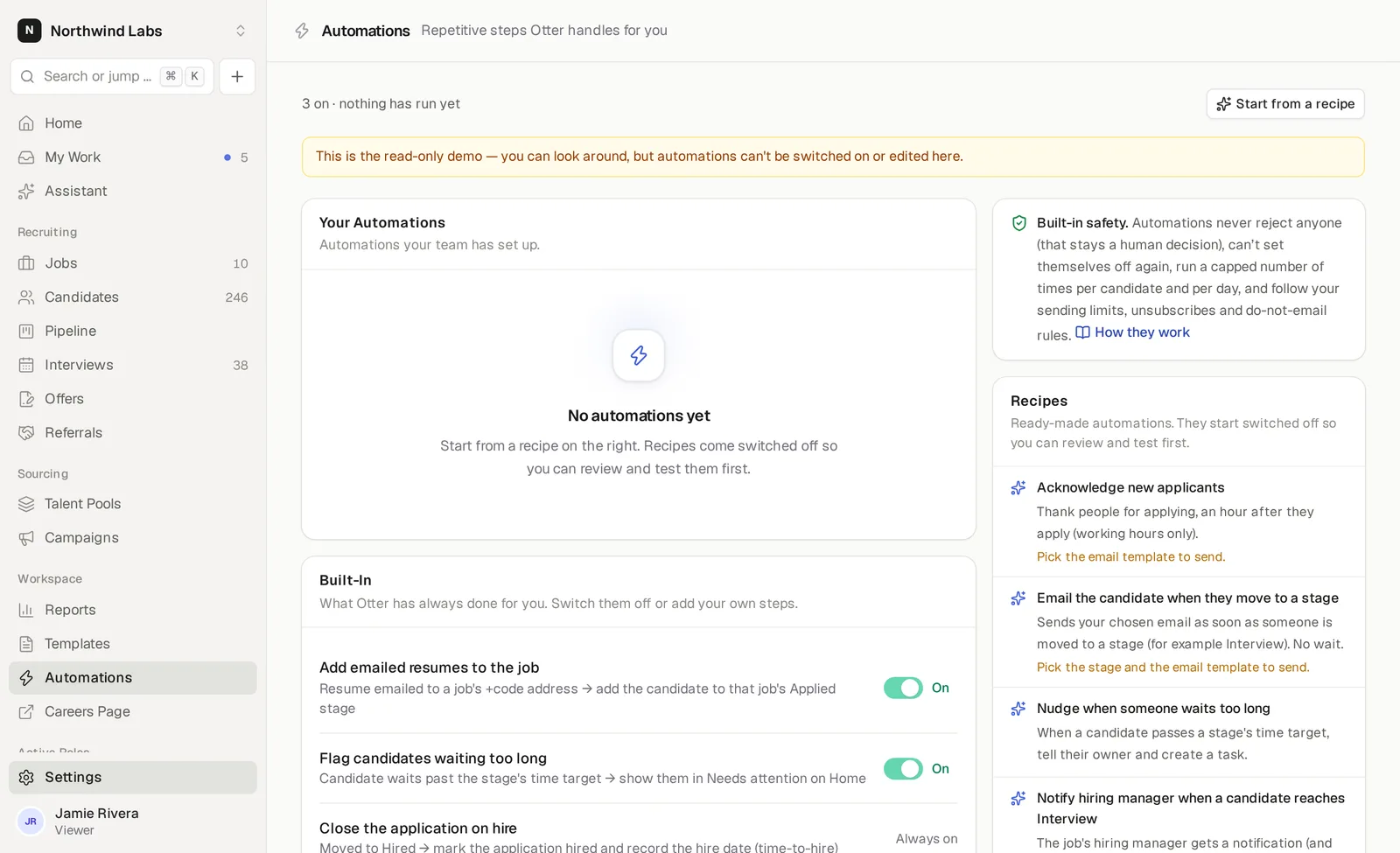
Reads like a sentence
When this happens, only if these are true, wait this long, then do these steps.
Working hours aware
Waits can count Monday–Friday, 9:00–18:00 in your workspace time zone. Conditions are checked again before a run.
People decide
There is no reject step, and automations can't move anyone to Rejected or Hired.
Triggers for the moments that matter
Each trigger in the editor has a one-line “Use this when…” explanation, and conditions narrow it by job, department, stage, source or tag.
- Candidate applied
- Moved to a stage
- Waiting in a stage too long
- Scorecard overdue
- Email received from a candidate
- Offer recorded or candidate hired
Steps your team would otherwise do by hand
Send an email from a template, move within the same job, tag, assign an owner, add to a talent pool, add a note, create a task or notify teammates. Notes and messages can use placeholders like {{full_name}} and {{job_title}}.
- Send a self-scheduling link
- Tasks with due dates
- Notifications in the bell or by email
- Every run in the run log
Safe by design
Automated emails follow your sending limits and respect unsubscribes, do-not-email, bounces and spam complaints. Recipes start switched off so you can review and test them first. Rejection decisions stay with people — important under rules such as the EU AI Act and New York City's automated hiring rules.
Can an automation reject a candidate?
No. There is no reject step, and automations can't move anyone to Rejected or Hired.
Who can edit automations?
Owners, admins and recruiters can create, edit and switch them on or off. Everyone else can view them and their run log.
Do I need to write code?
No. Pick a trigger, optional conditions and a wait, then add steps. You can also start from a ready-made recipe.
Keep exploring
More of what Otter does
Your next great hire is already in your inbox
Connect an address, forward a resume, and watch it land in your pipeline — parsed.
14-day free trial · No credit card required